Friends, regardless of whether it’s Free Fire or Free Fire Max, account verification has become not just “necessary” but “more than necessary” these days. Every day, thousands of players lose their accounts because they either keep playing with a guest ID or fail to link their accounts to a trusted platform in time.
Moreover, if your phone ever has issues, the game gets removed, or someone hacks your account, you could lose all the game data you’ve worked hard to accumulate. For this reason, Garena gives the repeated recommendation that all players should periodically verify their Free Fire accounts in order to prevent issues such as hacking, login mismatches, or bans.
What does it mean to verify a Free Fire account
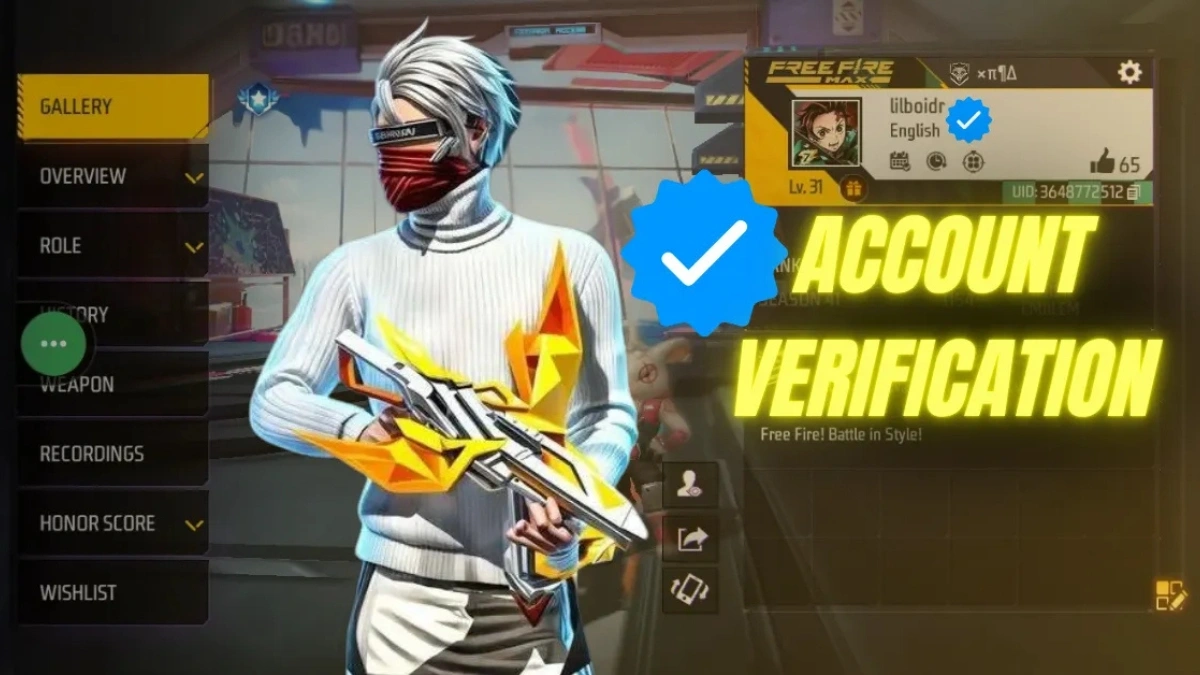
Friends, account verification in Free Fire involves linking your game account to a secure platform such as Google, Facebook, VK, or email. This means that your game data is connected solely to your name, and no one can remove your account without your consent. Whenever you switch phones, delete games, or reset your system, you can restore your account with just one click. This feature cannot be implemented without verification.
Garena itself claims that “the most secure account is a verified account.”
Why Free Fire account verification matters so much becomes clear the moment something goes wrong. When you play through a guest account, the game keeps your ID tied only to the phone you’re using at that moment. Everything—your progress, your friends list, your skins sits quietly inside the device’s memory. The trouble is, the day you switch your phone, reset it, or accidentally remove the game, that entire identity disappears as if it never existed.
A verified account behaves very differently. Once you link your profile to a trusted platform, the game doesn’t rely on your phone anymore. It stores your identity in a place where it can be recovered any time you need it. This simple step shields your account from common threats random logins, hacking attempts, accidental loss of data and makes moving to a new device almost effortless.
For players in India, this becomes even more valuable. Our server sees far more cases of account theft, sudden bans, and unauthorized changes than many others. Verifying your account isn’t just a safety suggestion here it’s the one habit that keeps your Free Fire progress firmly in your own hands.
That’s why it’s always important to perform Free Fire ID verification regularly.
How is Free Fire Account Verification Done
- Friends, whether you’re connecting with Google, Facebook, VK, or adding an email—the process is simple and barely takes five minutes.
- Open the game’s settings, go to the Account section, and add your preferred platform from where it says “Bind.”
- If you’re adding an email, a small OTP will appear, which you can enter to completely secure your account.
- Creating a security code after verification is complete is also a good option, as this code will be useful for changing your password or updating your email in the future.
After verifying your account, you can also check your Free Fire account to see which devices your ID is logged in to.

- If you see an unknown device, you can immediately remove it to protect yourself.
- Is my account verified or not How do I know?
- If you see “Guest” on your account, verification is pending.
- If the Google or Facebook icon is flashing, your account is secure.
- The whole system is that simple.
Commonly Asked Questions
Q. Does Free Fire Account Verification stop accounts from being hacked?
Securing your password and email significantly diminishes the chances of hacking. Verification bolsters the account.
Q. Is it possible to verify a guest account later on?
Yes, it can be done. However, until it is confirmed, the risk persists.
Q. Which method is safer Google or Facebook?
While both are secure, an account linked to Google is deemed more dependable for recovery purposes.
Q. Must an email be bound?
Although it is not mandatory, it is advisable to enable this feature so that you can recover your account in case you lose your phone or change your number.
Disclaimer: The information in this article may change based on game updates and Garena policies. Always use the official app and official settings when verifying.
Also Read
Suzuki Access 125 Review 2025: Powerful 124cc Engine, LED Headlight, Big Storage and Premium Comfort
Pink Diamond Mission Free Fire: Complete Guide to Earn Free Diamonds, Rewards, and Exclusive Items
Free Fire FFWS Ring Event 2025: Unlock Will of Fire Bundle and Trogon Skin Instantly